
OCEANMAIL / RESELLER GUIDE
Tenant API reference
Basic tenant-scoped profile, service and domain endpoints.
Connection
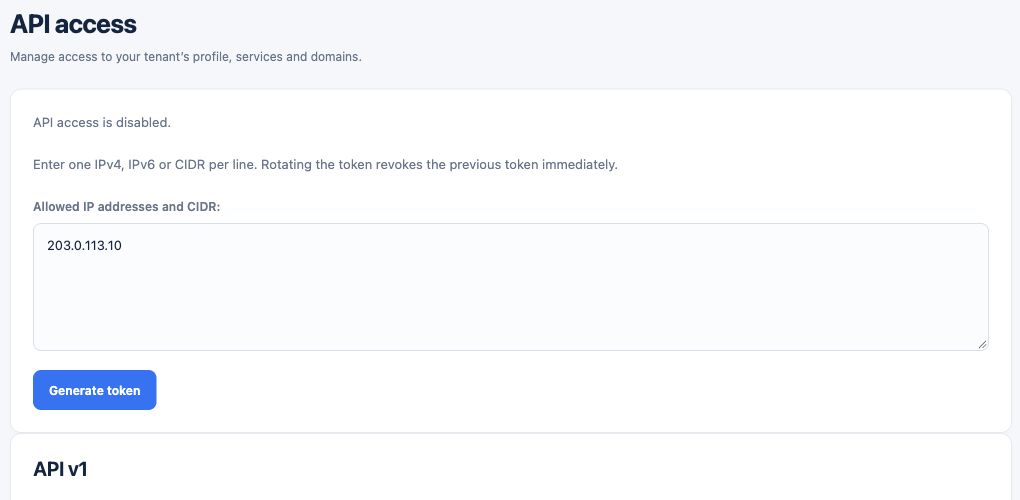
Base URL: https://client.oceanmail.co. Send Authorization: Bearer <token> over HTTPS. The request source IP must be on the allowlist.
- Prepare a token owned by a tenant administrator with API permission and an allowlisted outbound IP.
- Send requests over HTTPS to the base URL https://client.oceanmail.co.
- Supply the token in the Authorization: Bearer header, never in the URL.
Endpoints
- GET /api/v1/tenant/profile/ — retrieve tenant ID, type and name.
- GET /api/v1/tenant/services/ — retrieve service status, capacity and source.
- GET /api/v1/tenant/domains/ — retrieve domains and ownership TXT information.
- POST /api/v1/tenant/domains/ — attach a domain to an eligible active service with service_id and domain JSON fields.
Pagination and security
Lists return up to 100 results. Pass next_after as the after query parameter for the next page. Do not put an API token in a URL, screenshot or support ticket.
- Inspect next_after in the first list response.
- Pass that value as the after query parameter for the next page; each page has at most 100 results.
- Keep the token out of URLs, screenshots and support requests.