MAILOCEAN / HELP CENTER
Set up Android mail
Add your IMAP mailbox manually on an Android device.
Add an account
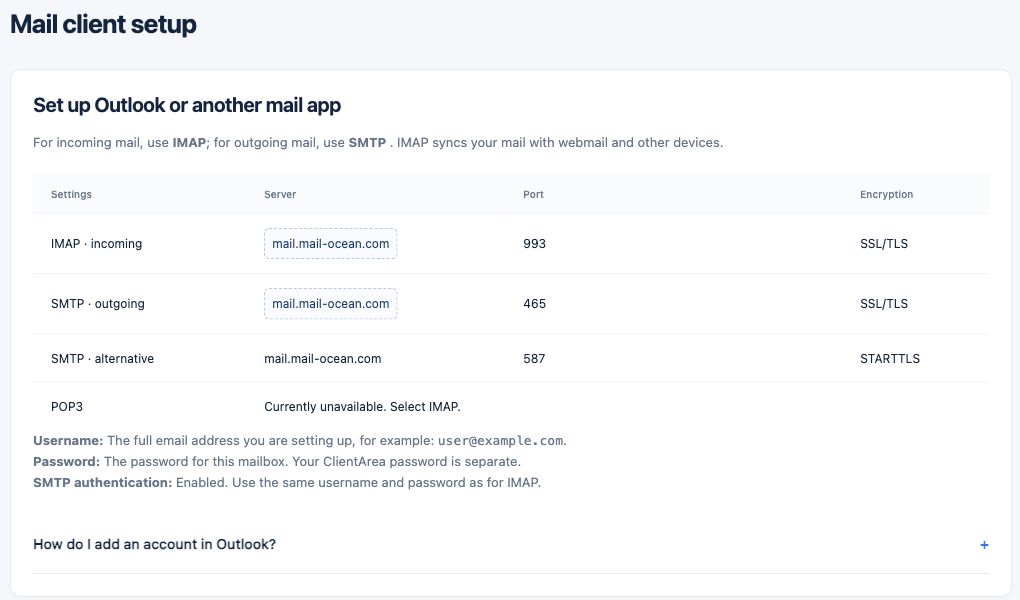
In your chosen mail app, add an account and select IMAP or personal IMAP. Menu names depend on the app version.
- Enter the full email address and mailbox password.
- Incoming: mail.mail-ocean.com, IMAP 993, SSL/TLS.
- Outgoing: mail.mail-ocean.com, SMTP 465, SSL/TLS. Enable authentication for the outgoing server.
- Save and send and receive a test message.